PaletteColor to glass · Free to use
01
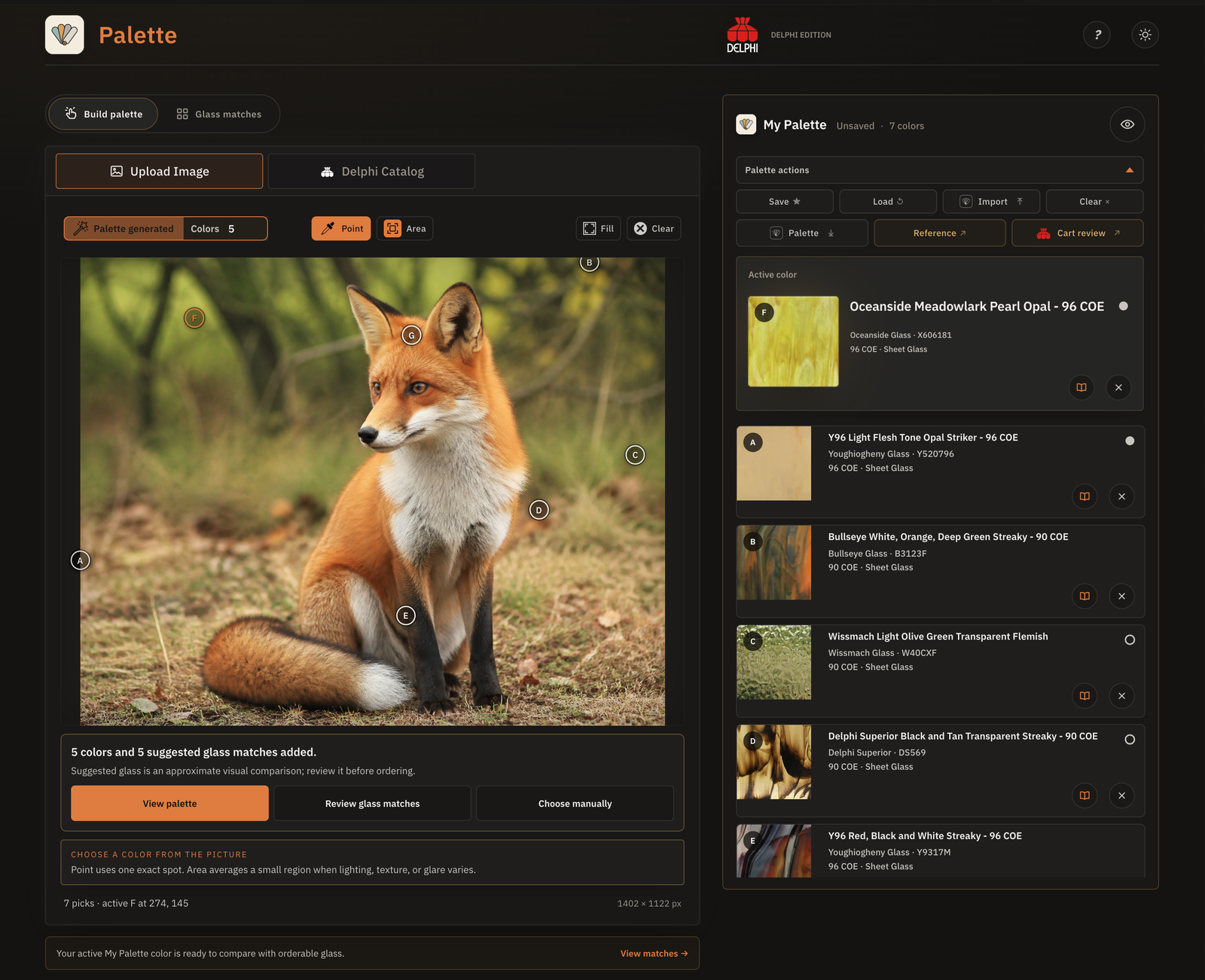
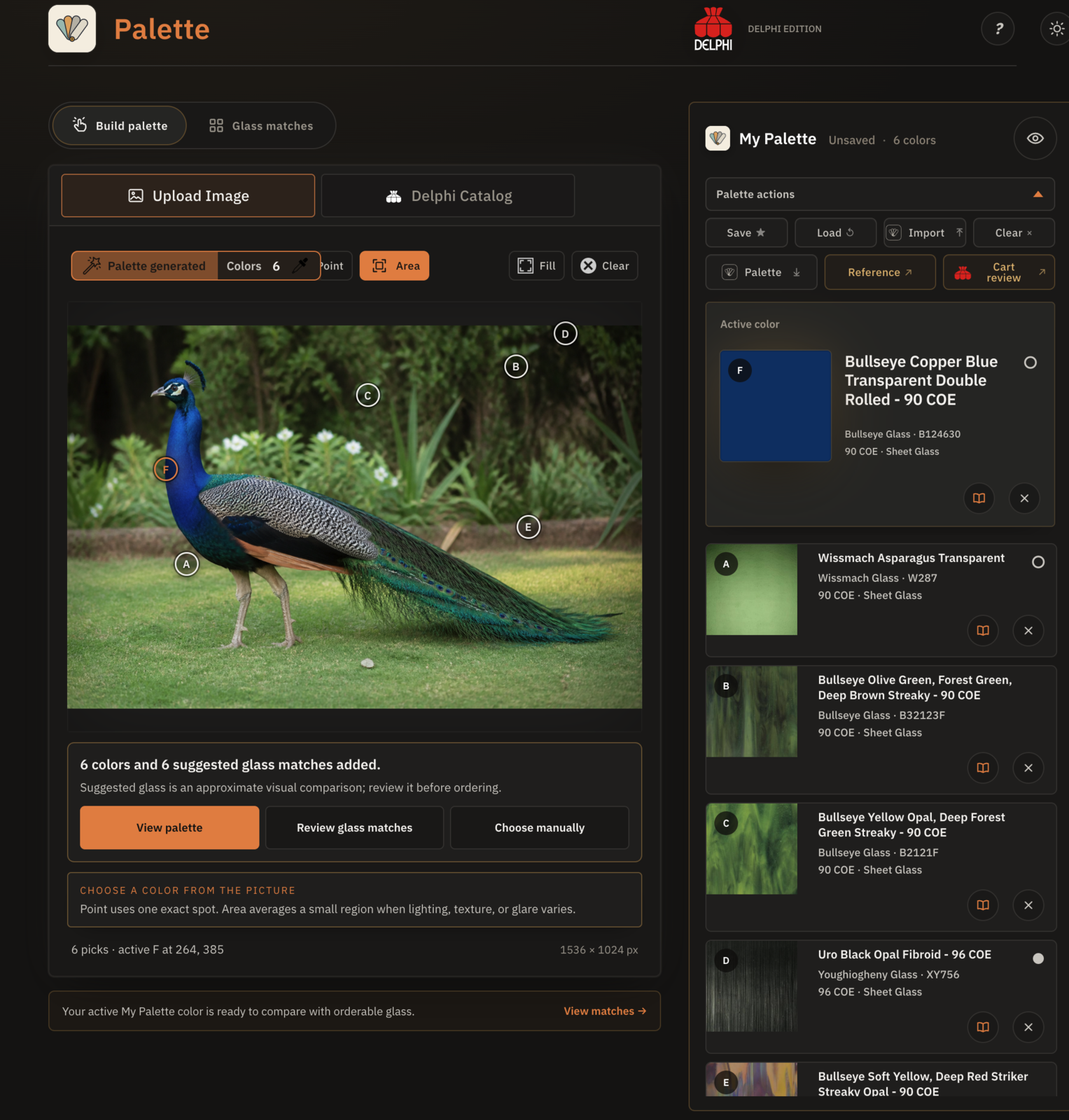
Palette connects visual direction to current Delphi glass, exact product identities, forms, sizes, and available choices.
Match colors and photos to Delphi glass with Palette. Bring those glass choices into your pattern with Template Studio. Both tools are free to use.
Free to use · No subscription required
 PaletteColor to glass
Illustrated guideGetting Started
PaletteColor to glass
Illustrated guideGetting Started
 Template StudioPattern to plan
Illustrated guideGetting Started
Template StudioPattern to plan
Illustrated guideGetting Started
 A toolkit for glass artists built by My Glass Cookbook.
 Available exclusively through Delphi Glass.
Delphi products
Available exclusively through Delphi Glass.
Delphi productsA color, photo, or pattern gives you a place to start. These tools help you choose glass, plan where it goes, and review what you’ll need before ordering.
Palette and Template Studio make it easier to choose colors and plan stained glass projects. Use either one on its own, or bring a saved Palette into Template Studio when your project needs both.
Palette connects visual direction to current Delphi glass, exact product identities, forms, sizes, and available choices.
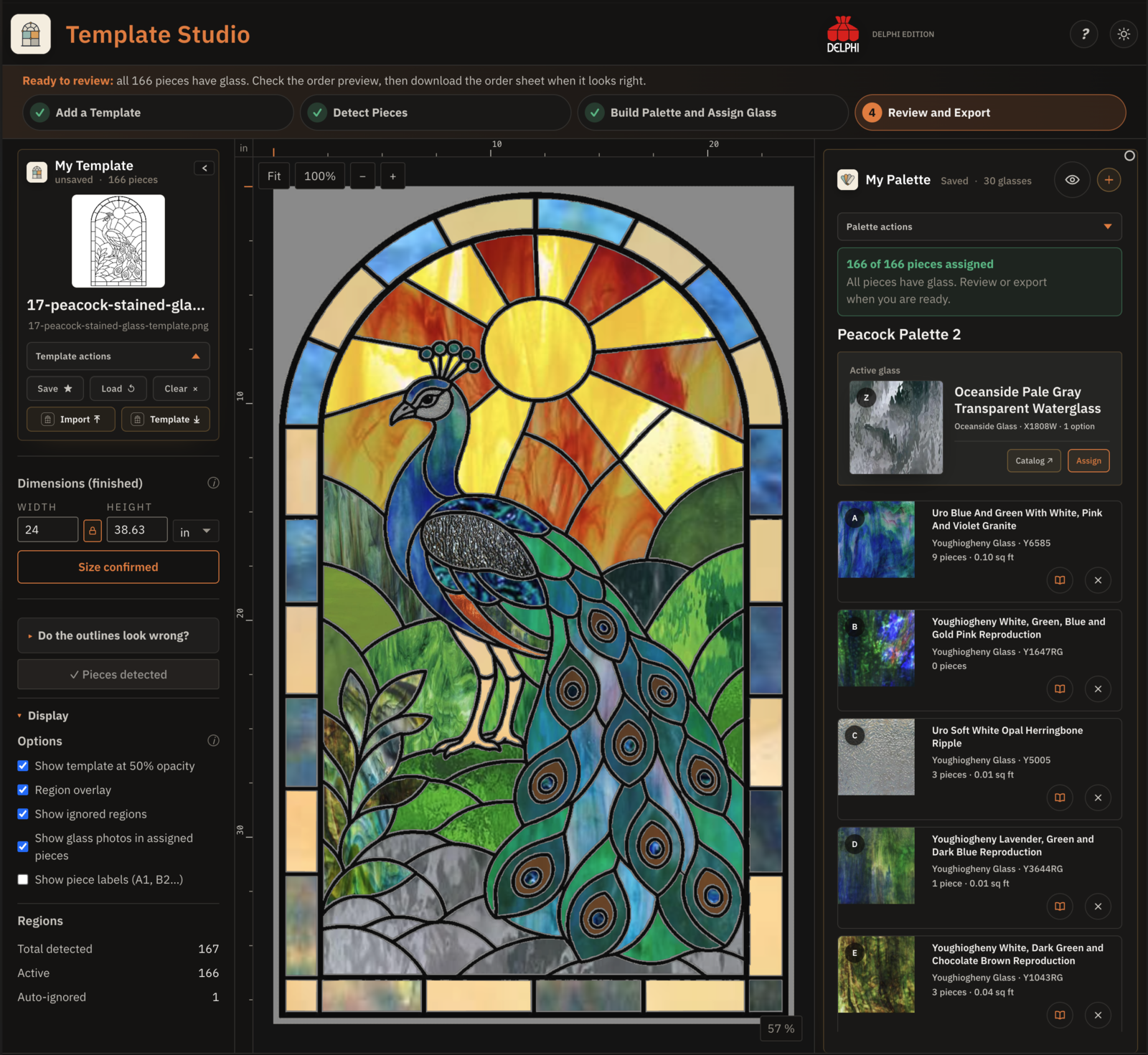
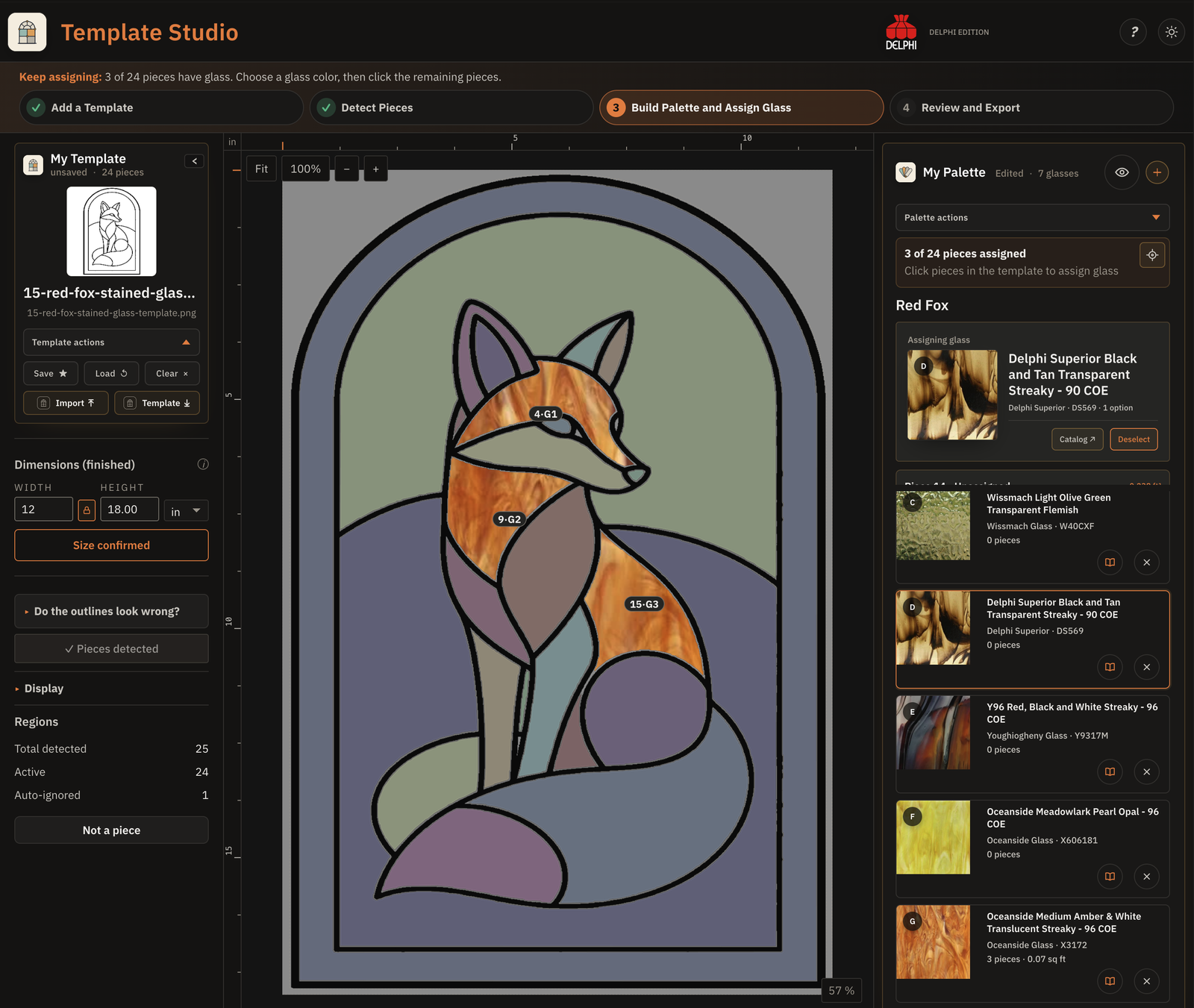
Template Studio turns line art into detected pieces, glass assignments, estimates, and outputs that can be reviewed.
Palette and Template Studio solve different parts of project planning. Choose the one that matches the decision in front of you.
Palette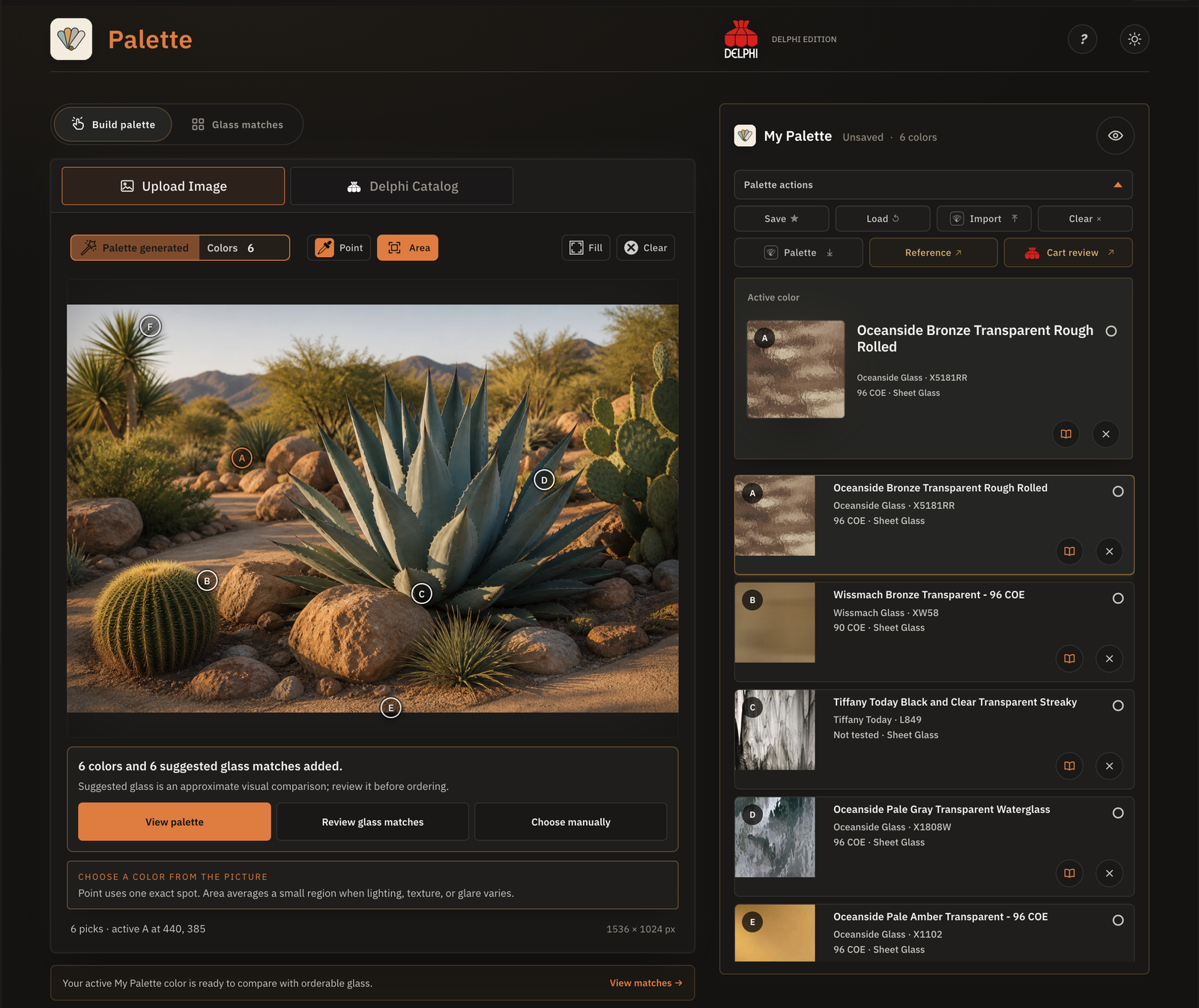
Sample a color from a photo, enter one directly, or browse the catalog. Palette ranks visually close Delphi products and keeps exact product choices together in one working palette.
Open Palette
See the step-by-step guide
Template Studio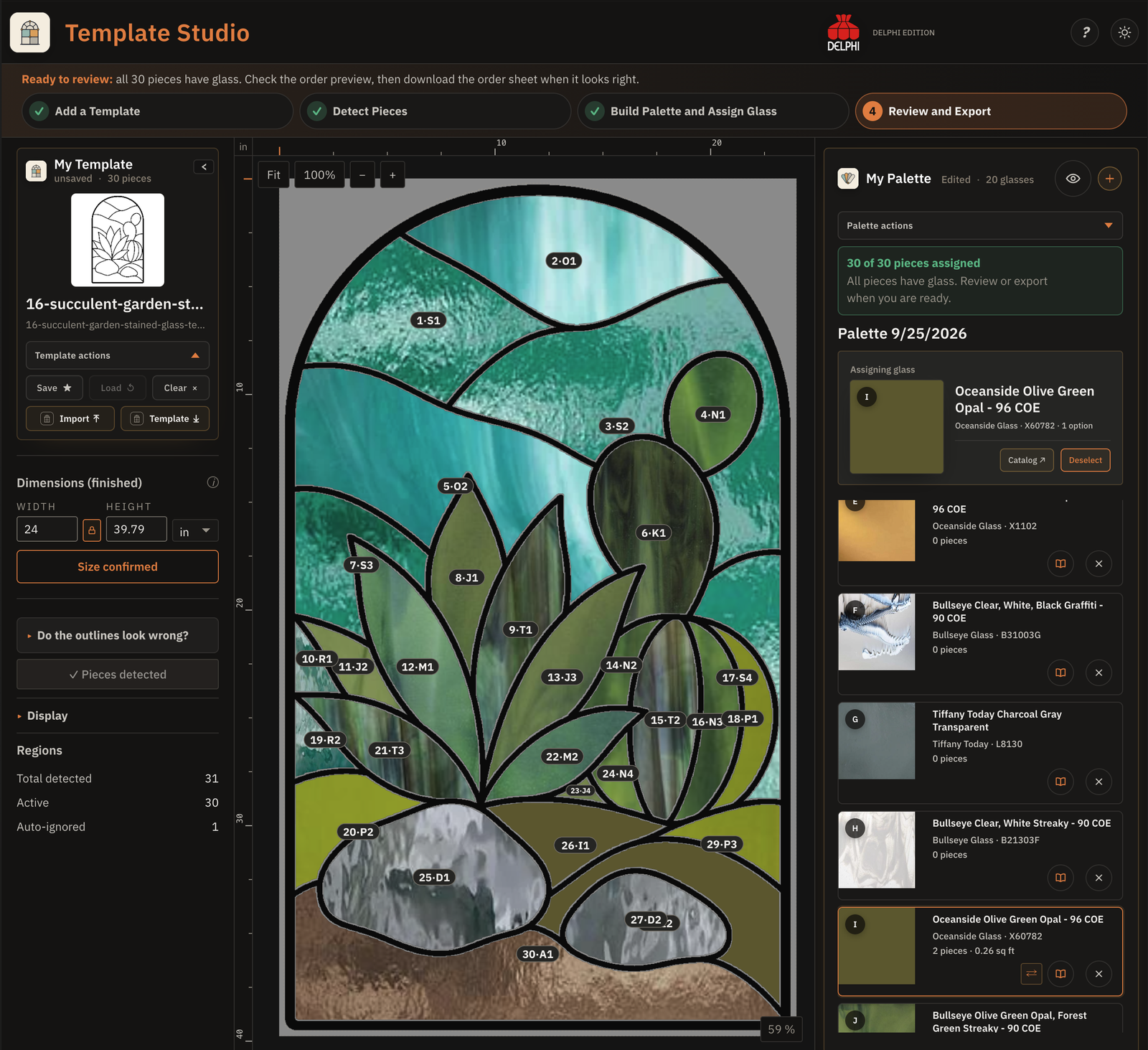
Upload a stained glass pattern, detect its closed pieces, build a Delphi sheet glass palette, and assign colors before reviewing quantities and exports.
Area estimates support planning; they do not validate a cutting layout.
Open Template Studio
See the step-by-step guide
A Palette file keeps the colors and exact product selections together so the next person can review or continue the same plan.
A Template Studio file carries the Template image, dimensions, detected pieces, assignments, Palette, and active glass choices.
Use one app for a focused task, or carry a saved palette into the next stage when your project needs both.
PaletteSample colors from a photo, enter them directly, or browse the catalog to build a working Palette.
Template StudioBring the saved Palette into Template Studio with its Delphi glass selections intact.
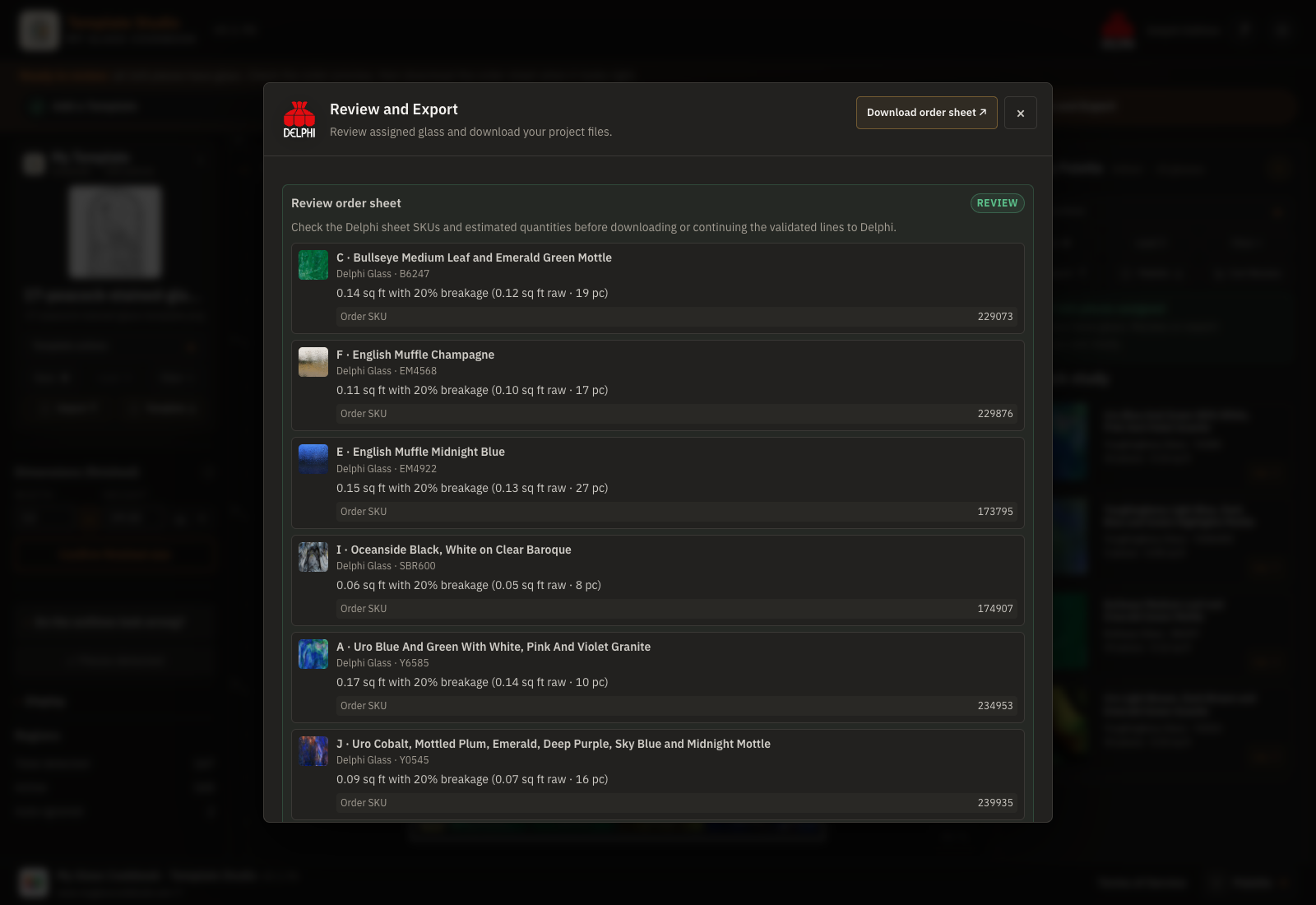 Step 03 · Review
Delphi Cart Review connects the finished pattern to exact products and estimated quantities, including piece counts, project area, and the planning allowance for each glass.
No. Use Palette when your main question is color and product selection. Use Template Studio when you need to assign sheet glass to pattern pieces. Use both only when the project benefits from both steps.
Yes. Download a readable .palette.json file and import it into the other app. The exact Delphi product information travels with resolved selections.
No. It estimates area and quantities from the pattern pieces. It does not nest pieces on sheets or prove that every piece can be cut from a particular layout.
Palette works across modern desktop, tablet, and phone browsers. Template Studio is designed for the larger working area of a desktop or tablet; phones can open the site, but the full editing workspace requires a larger screen.
Your project photos and pattern files stay in your browser for the core Palette and Template Studio workflows. Browser saves stay on this device unless you download a portable project file. Read the Privacy notice for details.
Download a project file for a durable backup or to move your work to another device.
No. Palette and Template Studio do not use or train AI models. Your photos and pattern files stay in your browser during the core workflows.
Cart Review checks exact product identity, available sizes, quantities, and unresolved selections. A project with an unresolved Delphi choice is blocked rather than partially handed off.
Start with color in Palette, or start with a pattern in Template Studio.